Calorie tracking changed more in the last two years than in the previous ten. A new wave of apps now log a meal from a photo, adjust your targets from your weight trend, or fold tracking into a full daily plan. We compared the newest and most capable options and sorted them by what each does best.
How we evaluated the trackers
- Logging speed and method: barcode, voice, photo AI, or manual, and how little friction it takes.
- Accuracy: database quality and, for photo tools, how close the estimate is on common foods.
- Adaptivity: do your targets and your day adjust as your weight, training, and eating change?
- What happens after you log: does the app just record the number, or help you act on it?
- Value and platform: price, free tier, and availability on iPhone and Android.
The newest calorie tracking apps at a glance
| App | Best for | Logging method | Price (2026) |
|---|---|---|---|
| WorkoutPal | Tracking connected to your workouts and daily plan | Quick log, repeat and swap, AI coach | Free to start |
| Cal AI | Photo-based AI logging | Photo AI | ~$29.99 to $49.99/yr |
| MacroFactor | Adaptive calorie and macro targets | Fast manual, barcode | ~$71.99/yr |
| MyFitnessPal | Largest food database | Barcode, voice, meal scan | Free; Premium from ~$19.99/mo |
| Cronometer | Micronutrient accuracy | Manual, barcode | ~$59.88/yr for Gold |
| Lose It! | Budget-friendly tracking | Barcode, photo | ~$39.99/yr Premium |
| Noom | Behavior-change coaching | Manual, barcode | Subscription, varies |
1. WorkoutPal: best when tracking should lead to action
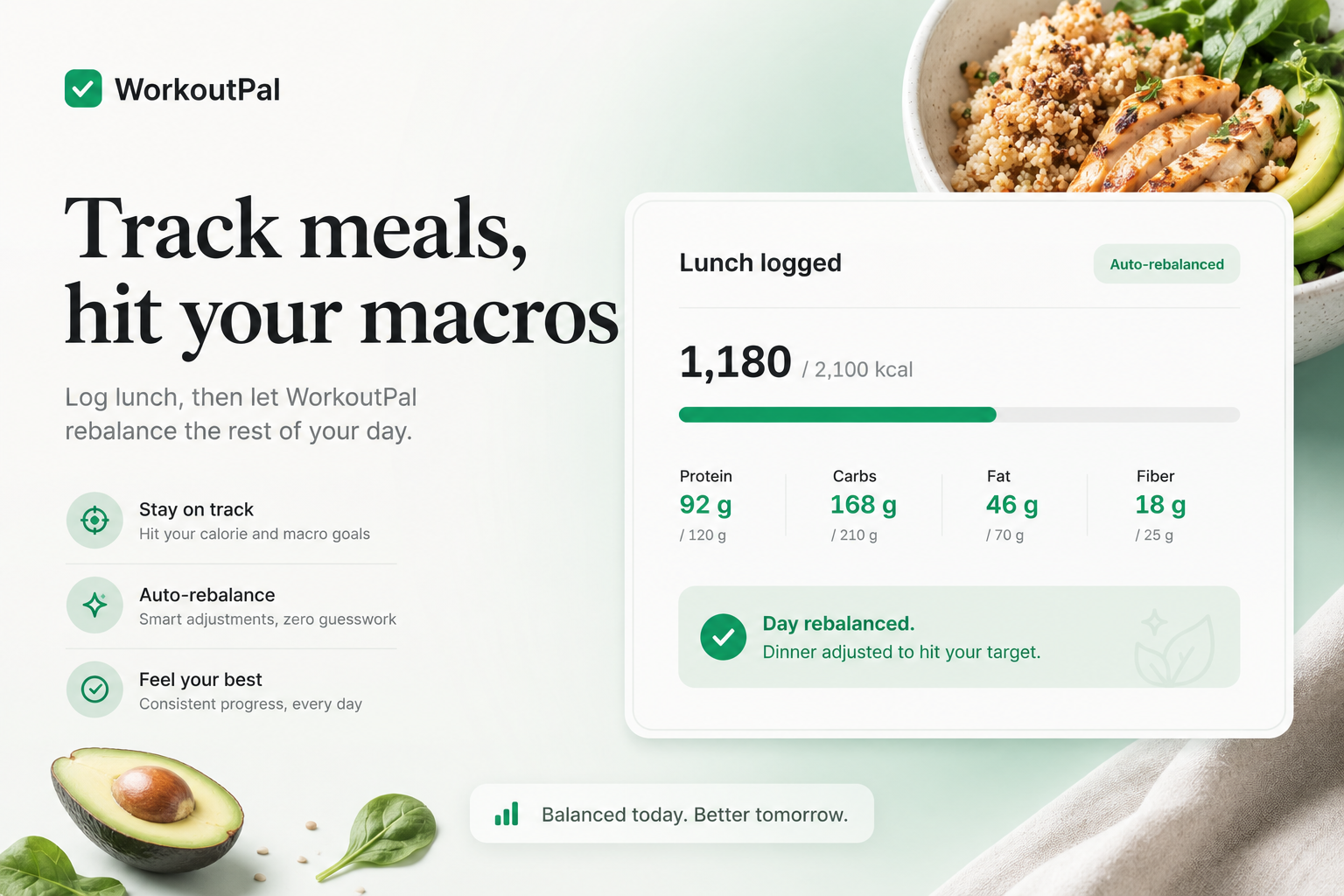
Most calorie apps stop at the number. You log a meal, you see how many calories are left, and the rest is up to you. WorkoutPal treats the log as the start of a decision, not the end of one. Because tracking sits inside a full daily plan that also holds your workouts and recovery, logging a meal can trigger a real adjustment: rebalance the rest of the day after you eat off-plan, swap a meal that fits your remaining macros, or generate a grocery list from your plan. The AI coach applies changes in a tap rather than handing you a report to interpret.
To be clear about scope, WorkoutPal is not trying to beat the largest databases on raw food count. It is built for people who do not want tracking to be the whole hobby, and who want each logged meal to keep the day on track.
Best for: people who want calorie and macro tracking woven into workouts, recovery, and a guided day.
Strengths: tracking that triggers action, adaptive day logic, one connected system, quick logging with repeat and swap.
Trade-offs: it is newer, and its food database is not the largest in the category.
Platform and price: iPhone and Android, free to start. Download WorkoutPal on the App Store.
2. Cal AI: best for photo-based logging
Cal AI represents the newest wave of trackers, where you point your camera at a plate and the app estimates calories and macros. On common foods it is reported to be highly accurate, and for many people the speed of snapping a photo is what finally makes tracking stick.
Best for: people who want the fastest possible logging by photo.
Strengths: photo AI speed, low friction, strong accuracy on common meals.
Trade-offs: photo estimates are still estimates, mixed and homemade dishes are harder, and there is no free plan.
3. MacroFactor: best for adaptive targets
MacroFactor stands out for its expenditure algorithm, which recalculates your calorie and macro targets from your actual weight trend and intake rather than a fixed formula. It is the most sophisticated adaptive target system that does not rely on AI photo logging.
Best for: data-minded dieters who want targets that self-correct.
Strengths: genuinely adaptive numbers, fast logging, no guilt-driven design.
Trade-offs: it adapts your targets, not your workouts or your whole day, and it is among the pricier options.
4. MyFitnessPal: best for database size
MyFitnessPal still owns the largest mainstream food database, with well over 14 million entries, plus barcode, voice, and meal-scan logging and broad device sync. If finding any food quickly is your priority, it remains the default.
Best for: maximum database coverage and fast lookup.
Strengths: database size, logging tools, integrations, maturity.
Trade-offs: tracking-first by design, so it reports more than it guides, and several features now require Premium.
5. Cronometer: best for micronutrient accuracy
Cronometer is the choice for people who care about more than calories. It tracks dozens of micronutrients from lab-verified data sources, which makes it a favorite for those managing specific nutritional needs.
Best for: precise nutrition and micronutrient tracking.
Strengths: data accuracy, depth of nutrients, verified sources.
Trade-offs: more effort to log, and it is a tracker rather than a coach.
6. Lose It!: best on a budget
Lose It! offers capable tracking, barcode and photo logging, and one of the lowest premium prices in the category, which makes it an easy entry point.
Best for: straightforward, affordable calorie tracking.
Strengths: low price, simple experience, decent logging.
Trade-offs: less depth and less adaptivity than pricier tools.
7. Noom: best for behavior change
Noom pairs tracking with psychology-based lessons and coaching aimed at changing habits over time. It is less about the database and more about the mindset.
Best for: people who want coaching on habits and mindset alongside logging.
Strengths: behavior-change focus, structured lessons.
Trade-offs: higher cost, and the tracking itself is not its strongest feature.
How to choose a calorie tracker in 2026
If speed is everything, a photo tool like Cal AI wins. If you want targets that self-adjust, MacroFactor. If you need the biggest database or the deepest micronutrient data, MyFitnessPal or Cronometer. But if you do not want tracking to become a second job, and you would rather each logged meal actually adjust your day and connect to your training, WorkoutPal is built for that, because the number is only useful if it changes what you do next.
Frequently asked questions
What is the newest calorie tracking app in 2026?
The newest wave is led by AI photo trackers such as Cal AI, which log a meal from a picture, and by adaptive systems like WorkoutPal that fold tracking into a full daily plan of workouts, meals, and recovery. Both reflect the shift away from purely manual logging.
What is the most accurate calorie tracking app?
For micronutrient accuracy from verified sources, Cronometer leads. For everyday calorie logging, MyFitnessPal's large database is reliable. AI photo tools like Cal AI are reported to be highly accurate on common foods, though photo estimates are still estimates, especially for mixed or homemade dishes.
Are AI photo calorie apps accurate?
On common, clearly visible foods they can be quite accurate, but accuracy drops for mixed dishes, sauces, and hidden ingredients. Photo logging trades a little precision for a lot of speed, which for many people is the trade that finally makes tracking sustainable.
Which calorie app connects tracking to workouts?
WorkoutPal is built to connect the two. Because calorie and macro tracking sit inside the same system as your workouts and recovery, logging a meal can rebalance the rest of your day and inform your training, rather than living in a separate app.
Is there a free calorie tracking app?
WorkoutPal is free to start, and MyFitnessPal and Lose It! offer free tiers with paid upgrades. Cal AI and MacroFactor are primarily paid.
References
- App Store and Google Play listings for each app (features, pricing), 2026
- MacroFactor product pages (expenditure algorithm, adaptive targets)
- Cronometer product pages (nutrient tracking, data sources)
- Independent 2026 calorie-tracker comparisons for pricing and accuracy context
- WorkoutPal product features (tracking inside an adaptive daily plan)
Prices, accuracy claims, and features are current as of 2026 and change frequently. Confirm the latest on each app's official store listing. This article is general information and not medical or nutritional advice.
Get coaching that adapts to your week
WorkoutPal is free on iPhone. Build a personalized plan in under a minute, then watch it adjust the moment your day changes.
Download free on the App Store